

Open Book Tutorial – Photoshop Graphic Design Tutorial 21
In Category:
Intermediate Photoshop Tutorials
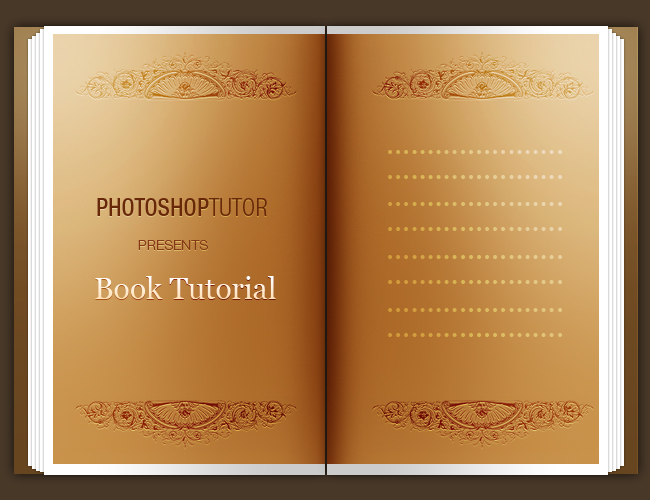
In a series of simple steps for this Photoshop graphic design tutorial, I will teach you how to design a simple but an effective open book design that can be used either for your flash autobiography or as a splash page for your website and web designs. This Photoshop tutorial can even be accomplished by beginners, so go ahead and give it a try!
…………………………………………………………………………………………………………………………………
I have already prepared a background for you, so begin by copying it over to Photoshop.

So let’s begin by creating the hard cover of the book. Grab your Rectangular Marquee Tool and create a rectangle approximately the size shown below. Now select your Dodge Tool and set the radius over to 150; lightly dodge the tip of the cover.

We have our foundation now. Let’s mold some detail into our cover. Start applying the following layer styles over the cover:

And now the shadows:

Great. Now let’s begin with our pages. The idea is to create almost the same dimension rectangle except with an inch cropped off from the right. So following the example below, create a white rectangle:

The base is there, so its time to add some detail. Go to your layer styles and apply the following:

Now the gradient overlay:

Alright. Now we have to resize it little by little and center vertically to the original page. Make sure that the duplicate layers of the white page go underneath the original. That way, the shadow creates depth and volume.

And continue to do that over a few times.

Okay. So we are practically done here except now we have to actually add some detail to the white page since it looks really dull at the moment. Go back to your Rectangular Marquee tool and create a graphical page inside the white page. Follow my example:

Time to add a finish and some detail to our page by the uses of a Doge & Burn Tool. Begin by taking out your Doge Tool and setting the diameter to at least 250px and lightly dodging the tip of the brown page.

Put on the first layer of shadows as the foundation. I used a Burn tip the size of 200 pixels

Finish it up with a second layer of shadows, except this time focus on adding more shadows to the right hand side. In this, I used a burn tip the size of 85px.

Great. Now you are pretty much done. All you have to do is put all the layers into a set, duplicate it, and then Flip it Horizontally by going to Edit – Transform – Flip Horizontal. Make sure you have the set highlighted so that you won’t have to go through every layer.
But wait, you will probably notice now that your right-hand side has a different gradient pattern on the white page than your left-hand side of the book. No worries. Go to the Layer Style Properties of your duplicated first white page and make sure that there is a check by Reverse:

Great, now for our final touch. Take out the Burn Tool again and on the right-hand side layer of the brown page, add a layer of shadow.

And there you have it, a quick and easy way to design an open book that can probably be used for anything possible–whether it be a place holder for your poems or photographs this tutorial can serve your needs in a series of easy steps!


This Photoshop Tutor tutorial has been tagged with: beautiful book, beautiful book design, book, book design, book image, book pages, classic book, classic book design, design tutorial, drawing tutorial, open book, open book design, open page design, open pages, Photoshop design tutorials